

What You’ll Build
- An AG2 (AutoGen 2) agent that behaves like a documentation expert.
- Triggered only when invoked (e.g.,
@knowledge). - Retrieves & cites snippets from an on-disk knowledge store.
- Integrated into CometChat conversations with streaming responses.
Prerequisites
- Python 3.10+ and
pip. OPENAI_API_KEYin a.envfile (used for embeddings + chat completions).- Optional overrides:
KNOWLEDGE_AGENT_MODEL(defaultgpt-4o-mini)KNOWLEDGE_AGENT_EMBEDDING_MODEL(defaulttext-embedding-3-small)KNOWLEDGE_AGENT_TOP_K,KNOWLEDGE_AGENT_TEMPERATURE, etc.
- CometChat app credentials (App ID, Region, Auth Key).
Quick links
- Repo (examples): ai-agent-ag2-examples/ag2-knowledge-agent
- Agent source: agent.py
- FastAPI server: server.py
- Sample web embed: web/index.html
How it works
This project packages a retrieval-augmented AG2 agent that:- Ingests sources into namespaces using the
KnowledgeStore. POST payloads to/tools/ingestwith URLs, local files, or raw text. Files (.pdf,.md,.txt) are parsed and chunked before embeddings are stored underknowledge/<namespace>/index.json. - Searches namespaces via
/tools/search, ranking chunks with cosine similarity on OpenAI embeddings (defaults to top 4 results). - Streams answers from
/agent. The server wraps AG2’sConversableAgent, emits SSE events for tool calls (tool_call_start,tool_call_result) and text chunks, and always terminates with[DONE]. - Cites sources. The agent compiles the retrieved snippets, instructs the LLM to cite them with bracketed numbers, and appends a
Sources:line. - Hardens operations: namespaces are sanitized, ingestion is thread-safe, and errors are surfaced as SSE
errorevents so the client can render fallbacks.
agent.py— KnowledgeAgent, store helpers, embedding + retrieval logic.server.py— FastAPI app hosting/agent,/tools/ingest,/tools/search,/health.knowledge/— default storage root (persisted chunks + index).web/index.html— CometChat Chat Embed sample that points to your deployed agent.
Setup
Clone & install
git clone https://github.com/cometchat/ai-agent-ag2-examples.git then cd ai-agent-ag2-examples/ag2-knowledge-agent. Create a virtualenv and run pip install -r requirements.txt.Configure environment
Create a
.env file, set OPENAI_API_KEY, and override other knobs as needed (model, temperature, namespace).Prime knowledge
Run
python server.py once (or uvicorn server:app) to initialize folders. Use the ingest endpoint or the provided knowledge samples as a starting point.Run locally
Start FastAPI:
uvicorn server:app —reload —host 0.0.0.0 —port 8000. Verify GET /health returns {"status": "healthy"}Project structure
- Dependencies: requirements.txt
- Agent logic: agent.py
- Knowledge store: knowledge/
- API server: server.py
- Web sample: web/index.html
Core configuration
Environment variables
Environment variables
Knowledge ingestion schema
Knowledge ingestion schema
Streaming response shape
Streaming response shape
Step 1 - Ingest documentation
POST to /tools/ingest
Supply a mix of URLs, file paths, and inline text. The server fetches, parses (PDF/Markdown/Text), chunks, embeds, and persists everything.
Step 2 - Ask the knowledge agent
Handle SSE
Streamed events include tool telemetry and text deltas. Buffer them until you receive
[DONE].Step 3 - Deploy the API
- Host the FastAPI app (Render, Fly.io, ECS, etc.) or wrap it in a serverless function.
- Expose
/agent,/tools/ingest, and/tools/searchover HTTPS. - Keep
KNOWLEDGE_AGENT_STORAGE_PATHon a persistent volume so ingested docs survive restarts. - Harden CORS, rate limiting, and authentication before opening the endpoints to the public internet.
Step 4 - Configure CometChat
Open Dashboard
Go to app.cometchat.com.
Provider & IDs
Set Provider=AG2 (AutoGen), Agent ID=
knowledge, Deployment URL=public /agent endpoint.Optional metadata
Add greeting, intro, or suggested prompts such as “@knowledge Summarize the onboarding guide.”
For more on CometChat AI Agents, see: Overview · Instructions · Custom agents
Step 5 - Customize in UI Kit Builder
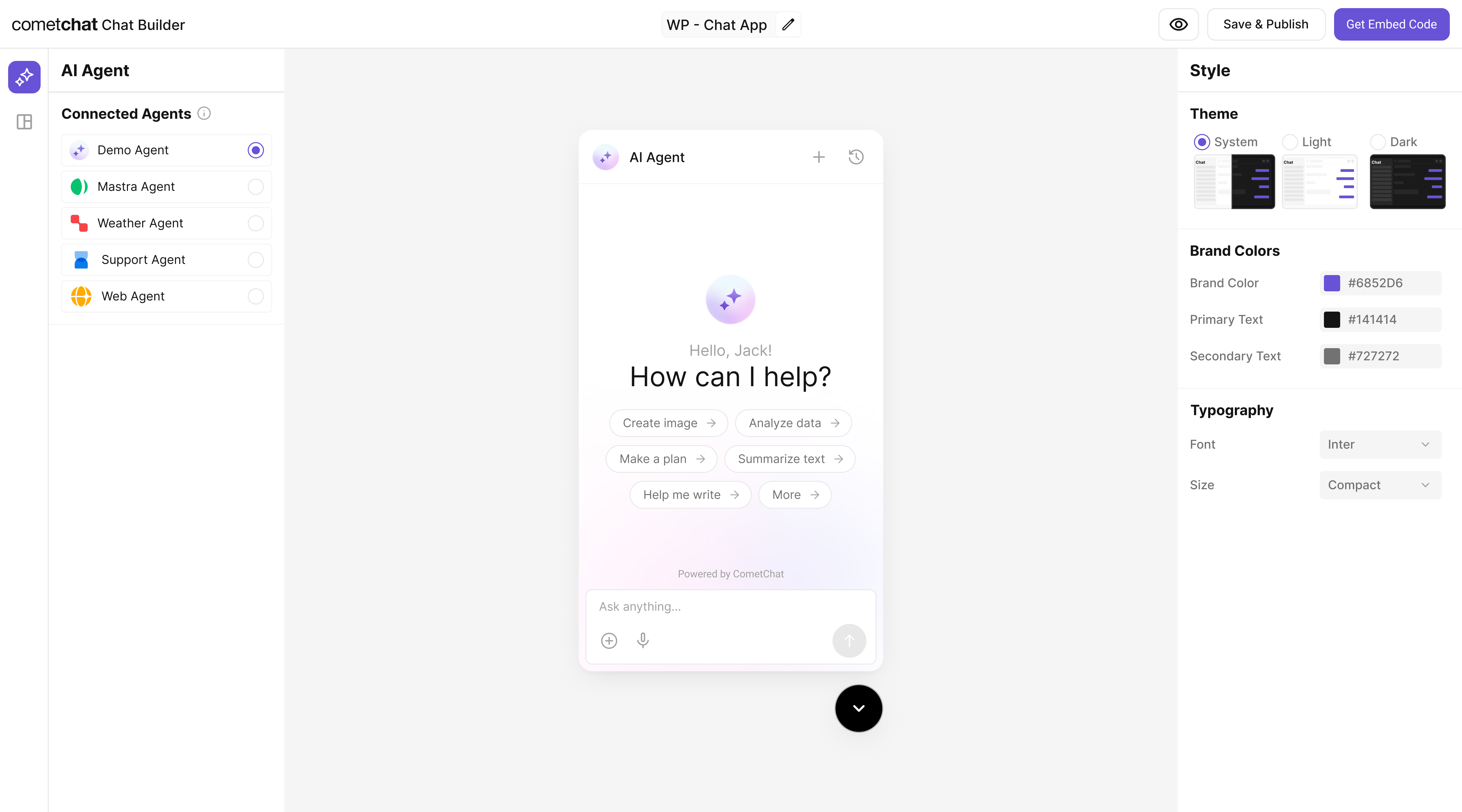
Step 6 - Integrate
Once configured, embed the agent in your product using the exported configuration.The AG2 Knowledge agent you connected is bundled automatically. End-users will see it immediately after deployment.
Step 7 - Test end-to-end
Security & production checklist
- Protect ingestion routes with auth (API key/JWT) and restrict who can write to each namespace.
- Validate URLs and file paths before fetching to avoid SSRF or untrusted uploads.
- Rate limit the
/agentand/tools/*endpoints to prevent abuse. - Keep OpenAI keys server-side; never ship them in browser code or UI Kit Builder exports.
- Log tool calls (namespace, duration) for debugging and monitoring.
Troubleshooting
- Agent replies without citations: confirm the retrieval step returns matches; check embeddings or namespace.
- Empty or slow results: ensure documents were ingested successfully and the top-k limit isn’t set to 0.
503 Agent not initialized: verify server logs—KnowledgeAgentrequiresOPENAI_API_KEYduring startup.- SSE errors in widget: make sure your reverse proxy supports streaming and disables response buffering.
Next steps
- Add new tools (e.g.,
summarize,link_to_source) by extending the AG2 agent before responding. - Swap in enterprise vector stores by replacing
KnowledgeStorewith Pinecone, Qdrant, or Postgres. - Schedule re-ingestion jobs when docs change, or watch folders for automatic refreshes.
- Layer analytics: log
tool_call_result.matchesfor insight into content coverage.